Starter
$9.90Up to 100 Standard edits
One-time purchase
- Six editing modes
- Credits never expire
- Standard, Detail, and Large sizes
Upload a photo, say who to erase, and the AI fills in what was behind them.
Standard is free, 3 a day. With credits it uses 5; larger sizes need credits.
Upload a photo, describe the person you want gone, and the AI erases them and fills in the background behind them. It works best when you name the whole person and say where they are.
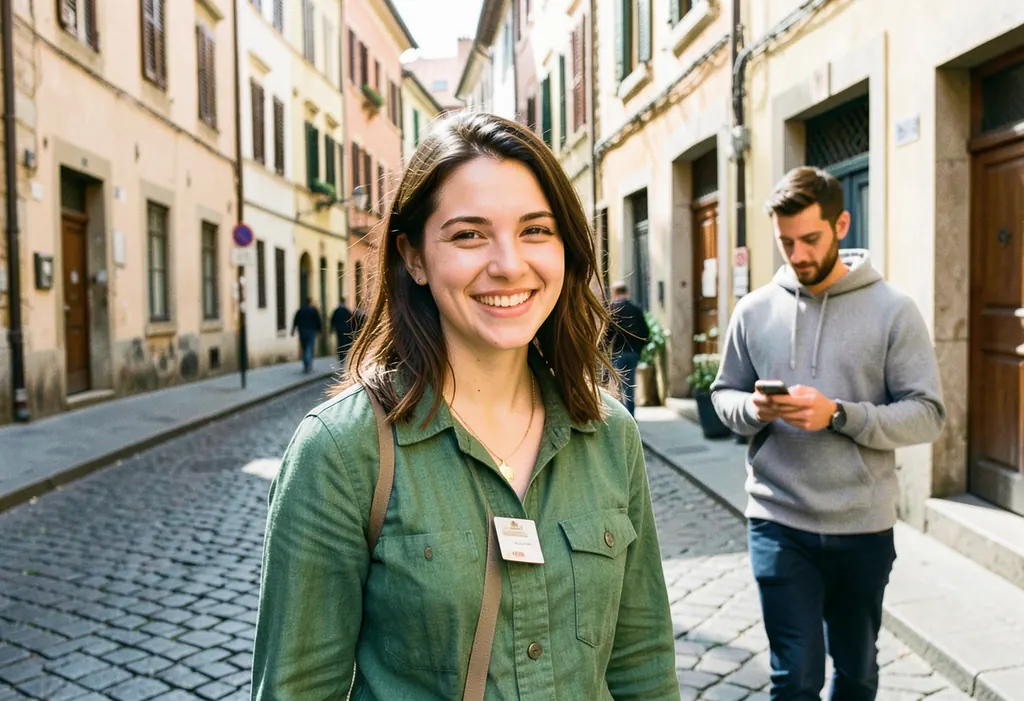
This is an unretouched result from the same model and instructions the editor uses. The source photo is AI-generated. We asked to remove the man in the gray hoodie on the right.
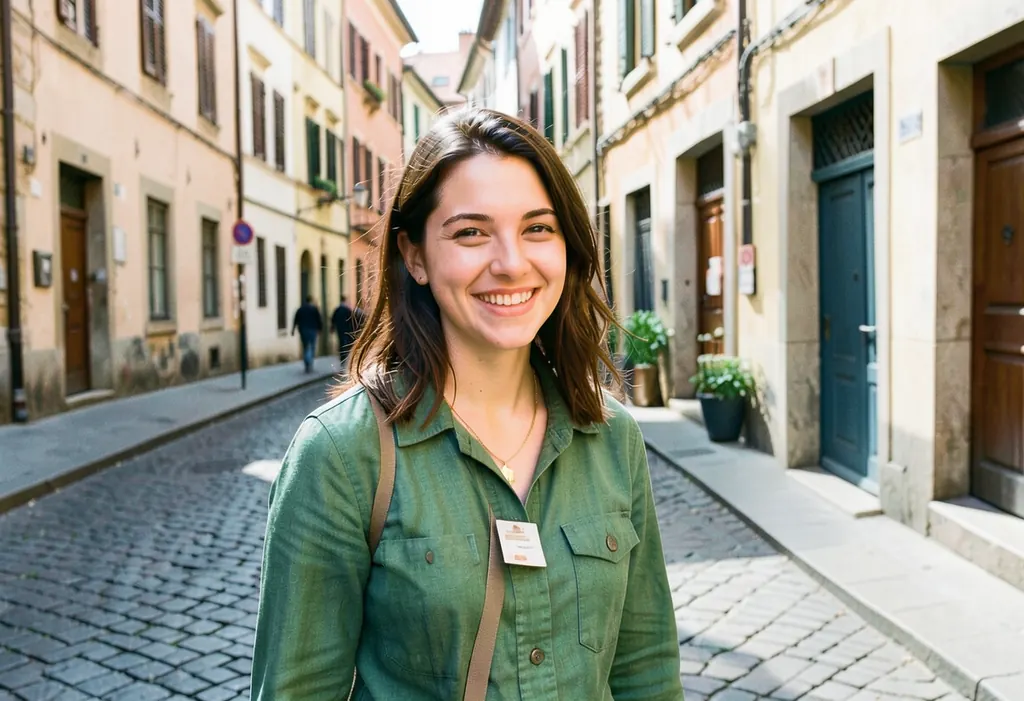
What we saw: the doorway, plants and pavement behind him were filled in, and the woman, her jacket and the street stayed the same. It also took out a small dark figure further back. Our first, shorter try, “the man in the gray hoodie on the right”, removed only his phone. That is why the wording below matters.
The editor has no brush, so your words are the selection. Clear, specific directions remove people from photos far more reliably than a single word.
The best results come from people who are fully visible and stand in front of a plain or repeating background:
It is harder when the person overlaps your main subject, covers a large part of the frame, stands in a dense crowd, or hides detailed text and patterns. The AI has to invent what was behind them, so very large gaps can look painted. Try a closer crop or a second pass.
Manual tools ask you to paint a mask and clone pixels by hand. Here you describe the person in a sentence and get a filled-in result in about 20 to 40 seconds, in the browser, with no app to install. For a single clean removal that is usually enough. For pixel-perfect work on a complicated scene, a manual editor still gives more control.
Only edit photos you have the right to use. Do not use edits to mislead, to alter evidence or identity documents, or to misrepresent a real event. Directions, uploads and results pass automated safety checks, and requests to remove or see through clothing are refused. See the terms for the full rules.
Up to three Standard (1 MP) edits per UTC day are free, with no watermark. A Standard edit uses 5 credits, Detail (2 MP) uses 10 and Large (4 MP) uses 20. Packs are $9.90 for 500 credits and $29.90 for 2,000; credits never expire. See pricing.
The same editor can also restyle a picture, change the background or clean up an old photo. Start from the free photo remix editor to try the other modes.
One-time packs never expire. Editing every month? See the monthly plans.
Upload the photo, keep the Remove Object mode selected, and describe the whole person to erase, for example "remove the whole man in the gray hoodie on the right and fill in the street behind him". Tick the permission box and press Remix my photo. Most edits finish in about 20 to 40 seconds.
Yes. You can make up to three successful Standard (1 MP) edits per UTC day for free, with no watermark. More edits and larger sizes use credits: a Standard edit uses 5, and packs start at $9.90 for 500 credits.
Name one person per edit for the most reliable result. To remove a second person, download the result, upload it again and describe the next person. The model sometimes removes a small extra figure nearby, so check the whole result.
The AI paints in what was most likely behind the person, such as pavement, walls or doorways. Simple backgrounds look the most natural. Busy patterns, text and people overlapping your main subject are harder, and the fill may not match the real scene exactly.
It is asked to keep everything else unchanged, and in our test the main subject, clothing and street stayed the same. AI output can still shift small details, so compare the result with your original before you download it.
It is used only to make your edit and is deleted within 30 days at most. There is no face recognition and no public gallery, and photos are never sold or used for training. Email hello@remixthatphoto.com to have a photo deleted within 24 hours.