Starter
$9.90Up to 100 Standard edits
One-time purchase
- Six editing modes
- Credits never expire
- Standard, Detail, and Large sizes
Try a new hair color on your own photo and keep it natural: same face, same photo, new shade.
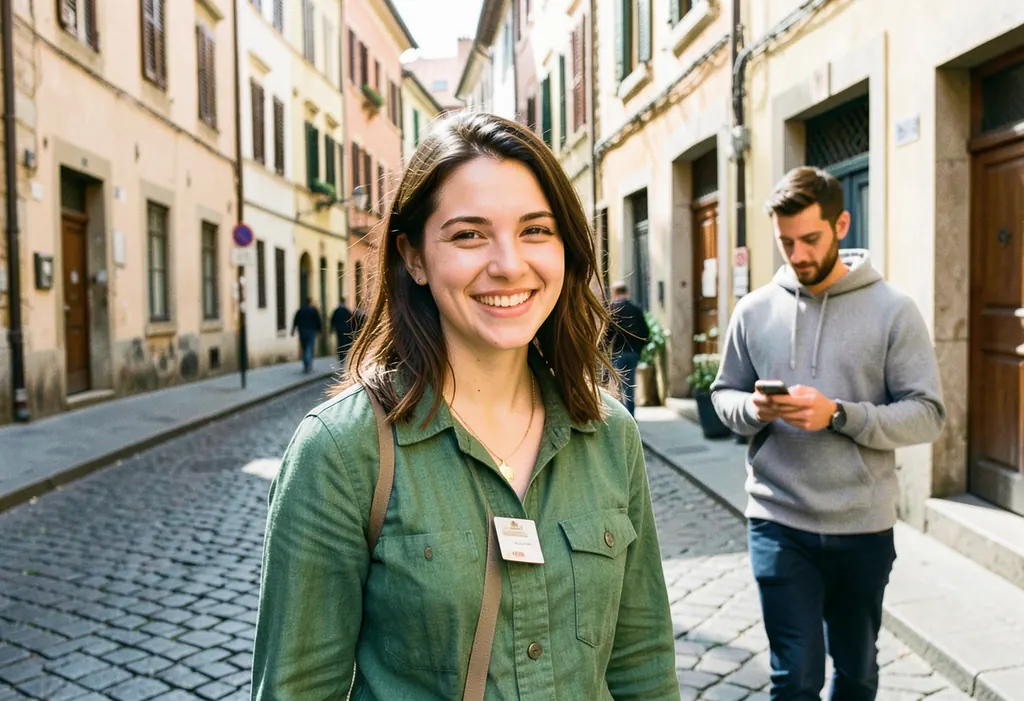
Standard is free, 3 a day. With credits it uses 5; larger sizes need credits.
Upload a photo, name the shade you want, and ask the AI to change only the hair. You get a new version of the same photo with the same face, clothes and background.
These are unretouched results from the same model and instructions the editor uses. The source photo is AI-generated; the only thing we changed between the two edits was the shade.
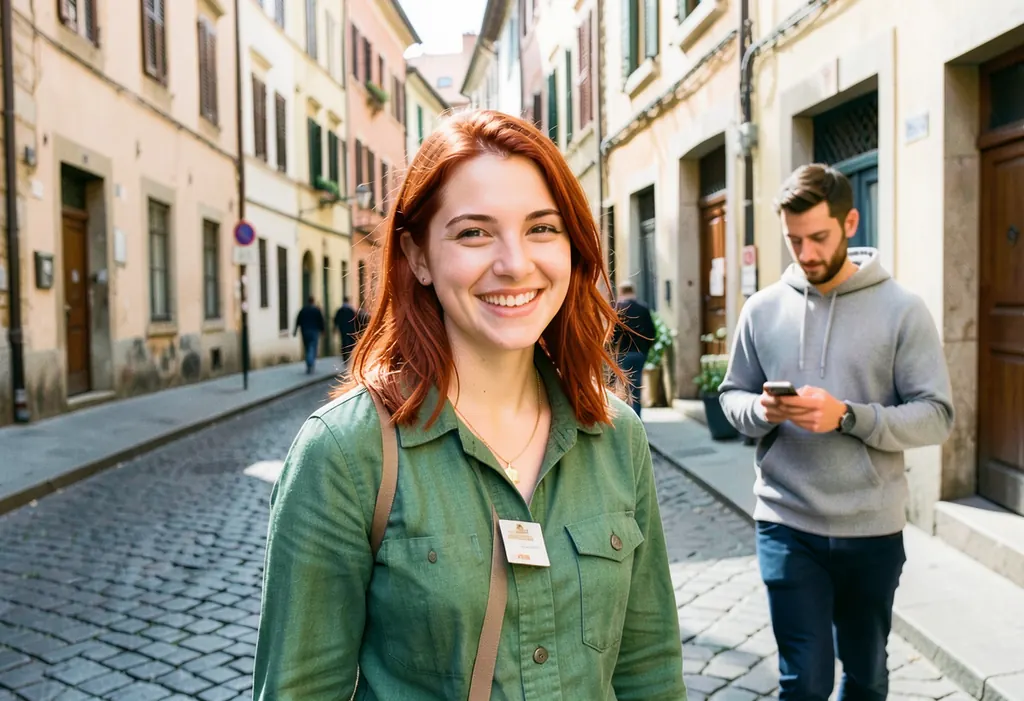
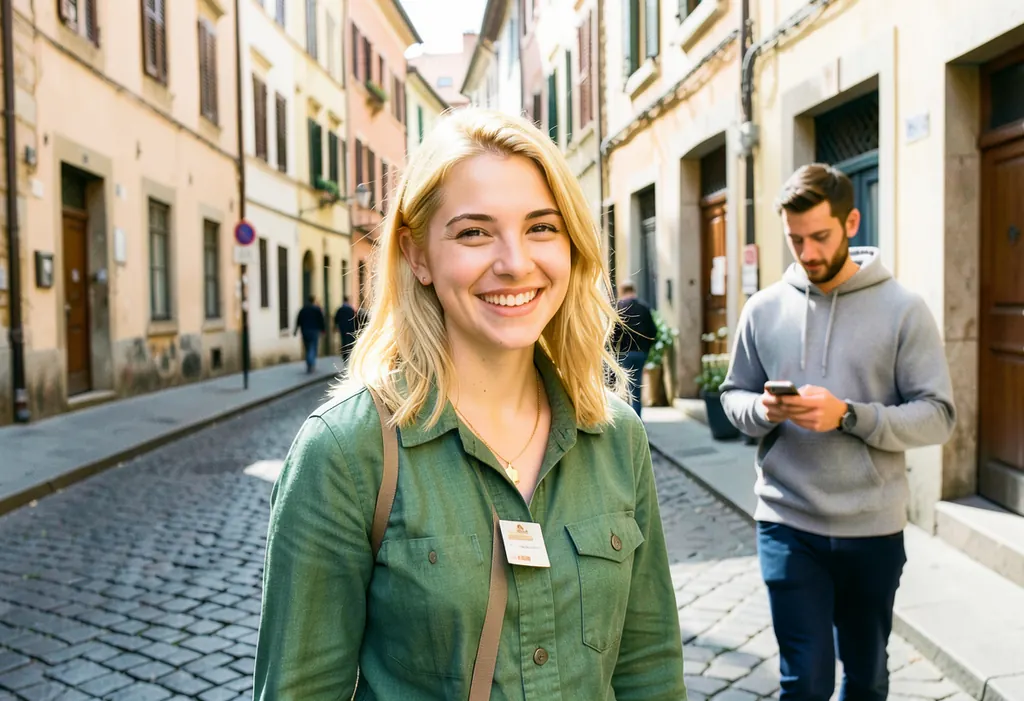
What we saw: in both edits her face, smile, green jacket, necklace and the street stayed the same, and the new color followed the shape and strands of her hair. The blonde edit also lightened her eyebrows a little, which is common when going much lighter.
Copy one of these into the direction box after “change only the hair color to”:
Use it to preview a shade before a salon visit or a box dye, to compare a few colors side by side on your own photo, or to show a stylist the direction you want. It edits photos, not live video, and it is a preview, not a promise of how a dye will turn out.
Only edit photos of yourself or of people who have agreed. Directions, uploads and results pass automated safety checks. See the terms for the full rules.
Up to three Standard (1 MP) edits per UTC day are free, with no watermark. A Standard edit uses 5 credits, Detail (2 MP) uses 10 and Large (4 MP) uses 20. Packs are $9.90 for 500 credits and $29.90 for 2,000; credits never expire. See pricing.
Want to take someone out of the same photo instead? See remove a person from a photo, or open the photo remix editor for the other modes.
One-time packs never expire. Editing every month? See the monthly plans.
Upload a clear photo, keep the Restyle mode selected, and write a direction such as "change only her hair color to a natural copper red, keep her face, clothes and background exactly the same". Tick the permission box and press Remix my photo. Most edits finish in about 20 to 40 seconds.
Yes. You can make up to three successful Standard (1 MP) edits per UTC day for free, with no watermark. More edits and larger sizes use credits: a Standard edit uses 5, and packs start at $9.90 for 500 credits.
Natural shades named the way a colorist would, like honey blonde, copper red or soft black, give the most believable results. In our test the face, clothes and street stayed the same and only the hair changed. Results vary between runs, so compare them with your original.
It is asked to keep the face and everything else the same, and you should say so in your direction too. AI output can still shift small details such as strands, length or highlights. If the cut changes, add "keep the same hairstyle and length".
Not exactly. This is a visual preview of a shade on your photo, not a dye formula. Real results depend on your starting color, the product and the colorist, so use it to choose a direction, then ask a professional.
It is used only to make your edit and is deleted within 30 days at most. There is no face recognition and no public gallery, and photos are never sold or used for training. Email hello@remixthatphoto.com to have a photo deleted within 24 hours.